Receipt printing
Set up billing with printer support.
Use Tokaro Billing for Windows printer workflows on PC, or the Android app for supported Bluetooth printer workflows.
What can be printed
- Sales bills, estimates, returns and exchange documents.
- Tokens and KOT where the business workflow uses them.
- Stock reports, customer ledger, supplier ledger and daily reports.
- Custom print layout workflows depending on platform and setup.
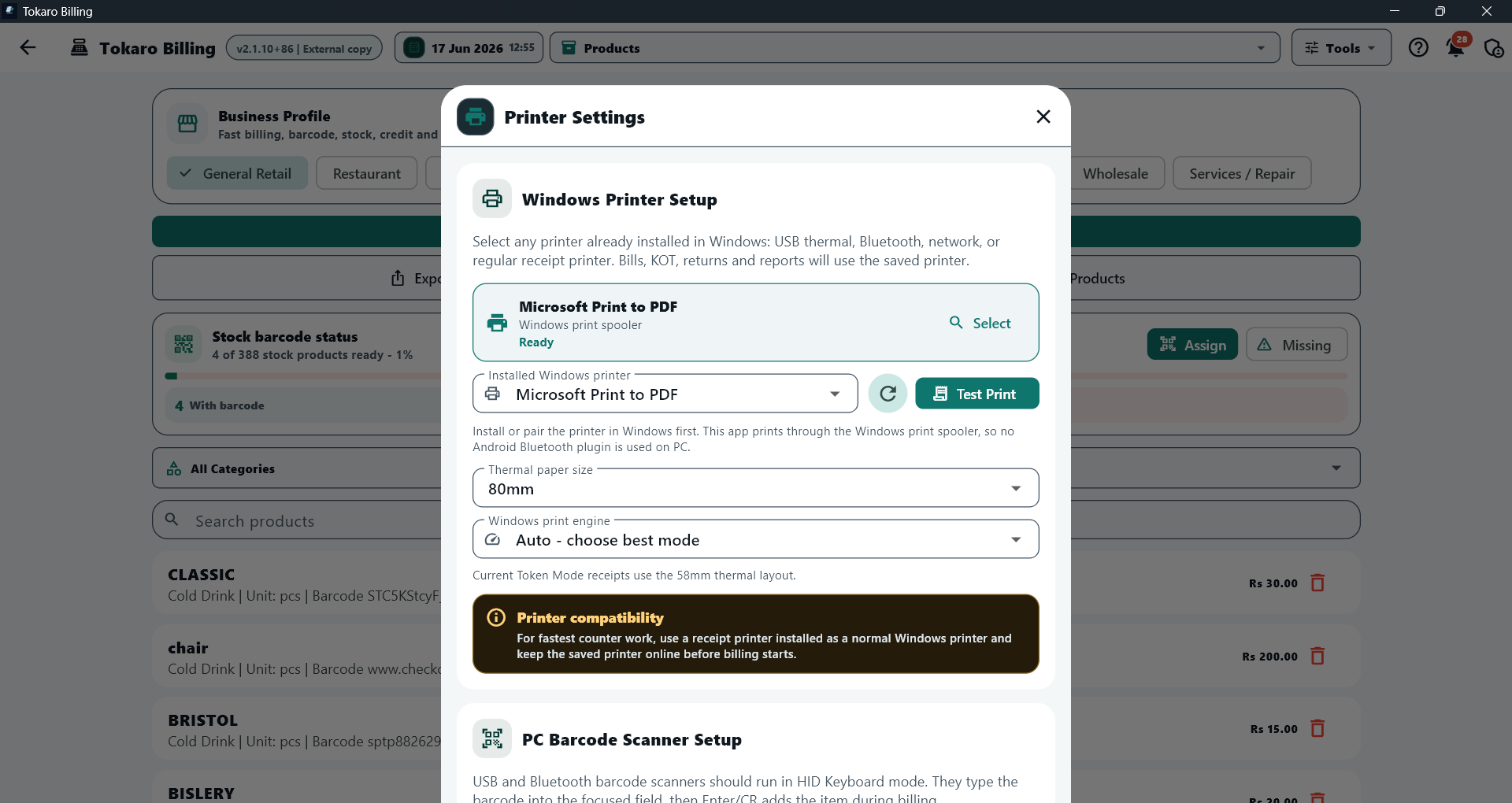
Printer settings
Select installed Windows printers, choose paper size, run a test print and review barcode scanner setup notes.
PC printer setup
On Windows, Tokaro Billing works with printers installed in Windows, including USB, shared, network and compatible Bluetooth printers. The printer should be installed and tested in Windows before selecting it in Tokaro.
Android printer setup
On Android, printer support depends on Bluetooth printer compatibility, Android permissions and the device setup. Test the exact printer model before using it at a live counter.