PC and Android
Use scanner input where it fits your counter.
Use USB or compatible Bluetooth scanners on PC, and camera scanning or supported scanner input on Android depending on the device and setup.
Barcode billing use cases
- Scan saved product barcodes during sales billing.
- Reduce manual product search for frequently sold items.
- Keep product, stock and billing data connected.
- Use barcode workflows with printed bills and reports.
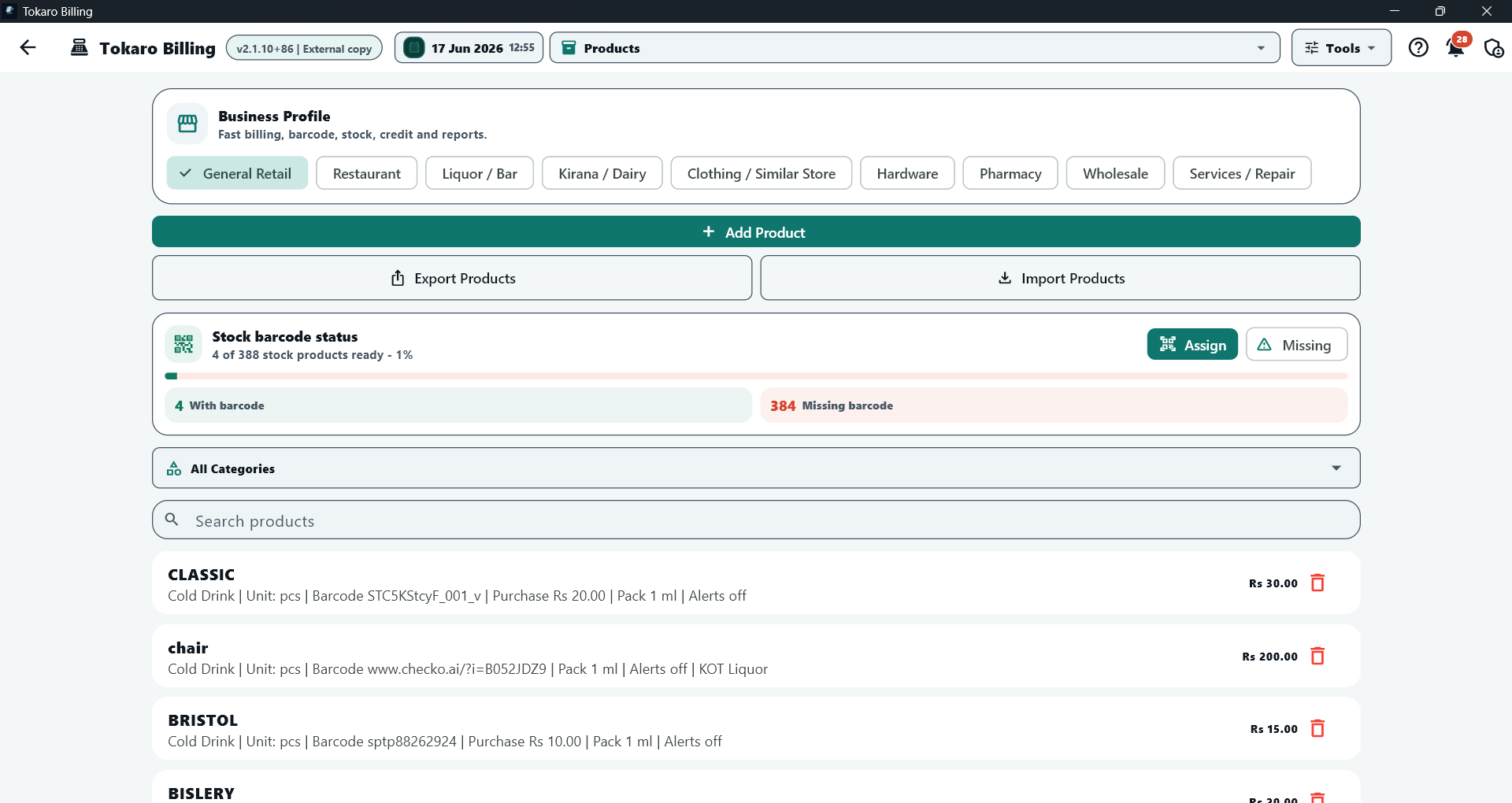
Product barcode status
Review products with barcode values, missing barcode counts and barcode assignment workflow before counter billing.
Hardware notes
Scanner compatibility depends on the scanner model, operating system and input mode. PC counters usually work best with USB barcode scanners or HID keyboard-mode scanners. Android counters can use camera barcode scanning and supported Bluetooth scanner workflows.
Best businesses for barcode billing
Barcode billing is useful for grocery shops, retail stores, liquor shops, medical counters, wholesale counters and any business with many repeat products.