Download for Windows
Install Tokaro Billing on your counter PC.
Use the Windows setup for a desktop or laptop billing counter with keyboard, barcode scanner and printer support.
Who this PC billing software is for
Tokaro Billing for PC is useful for retail shops, grocery shops, liquor shops, medical counters, wholesale counters, service counters, cafes and other businesses where billing speed and print reliability matter.
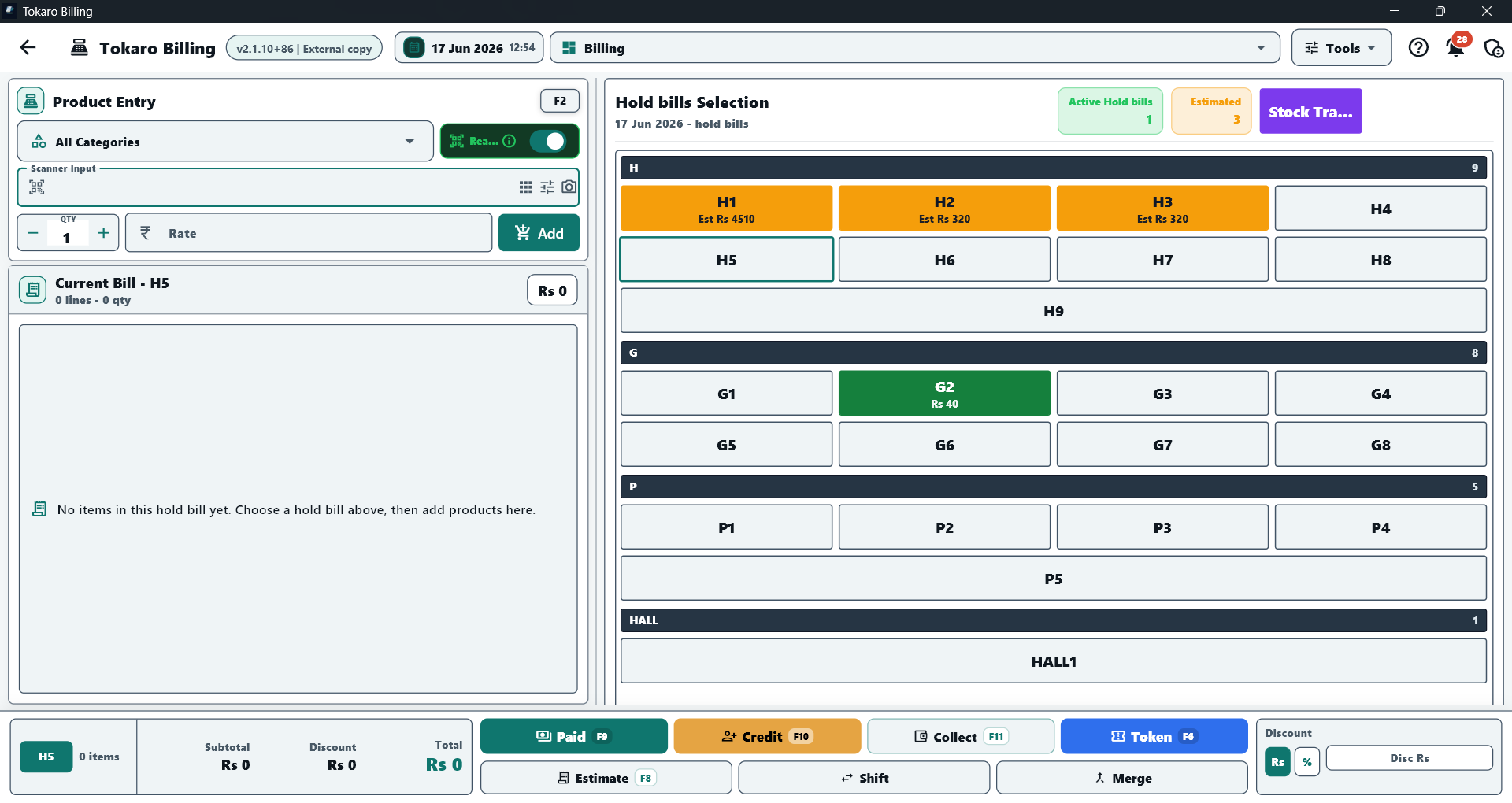
PC counter billing screen
Hold bills, product entry, paid, credit, collection, token, estimate, shift and merge actions in one counter view.
PC billing features
- Fast paid bills, credit bills, estimates, returns and exchanges.
- Products, categories, stock, purchases, suppliers and reports.
- Customer credit ledger, supplier ledger, collections and payment history.
- Barcode scanner input for saved product barcodes.
- Windows printer support for bills, estimates, reports and ledgers.
Why use a PC app for counter billing
A Windows PC is a strong choice when the counter uses a full keyboard, larger display, USB scanner, installed printer or a fixed billing desk. Tokaro Billing for PC keeps these workflows focused on fast daily operation.