Windows PC
Fast at a fixed billing counter.
Use keyboard product entry, barcode scanners, installed printers, hold bills, quick settlement shortcuts, stock, ledgers and reports on a wide desktop workspace.

 Tokaro Billing
Built for active business counters
Run billing, stock, purchases, credit and daily accounts from one focused business system.
Native Windows software for high-speed counters, with an Android app for mobile and tablet workflows.
Request a guided demo on WhatsApp
In use at a real business counter
This is an active business using Tokaro for everyday billing, stock, credit and daily account work.
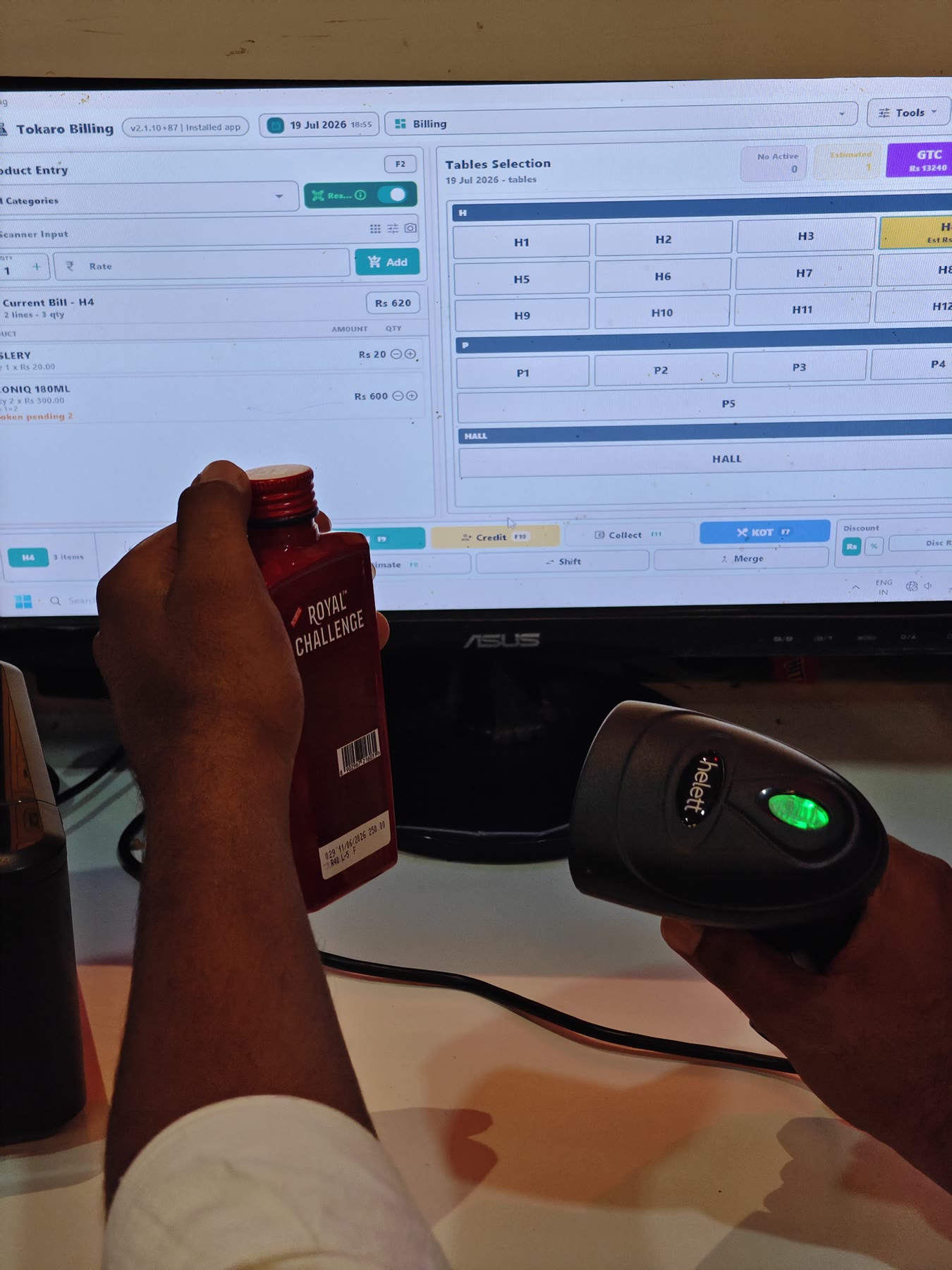
Windows PCKeyboard, scanner and installed-printer workflows
AndroidPhone, tablet, camera scanning and Bluetooth printing
One purposeLess time spent checking routine business calculations
Two platforms. One business system.
Tokaro Billing is available as a native Windows application and an Android application. Each is designed around the speed, hardware and input method of that device.
Windows PC
Use keyboard product entry, barcode scanners, installed printers, hold bills, quick settlement shortcuts, stock, ledgers and reports on a wide desktop workspace.


Android phone and tablet
Use camera barcode scanning, compatible Bluetooth printing, touch billing, stock, credit and reports on supported Android phones and tablets.
Business profiles
During store setup, choose a business profile to start with the most relevant billing controls. You can change the profile later as your counter workflow changes.
See the workflow
These recordings come from the real Tokaro applications, not a recreated marketing interface.
01
Search, quantity entry, slot selection and settlement with a keyboard-focused workflow.
02
Scan saved barcodes and add products from the mobile counter.
03
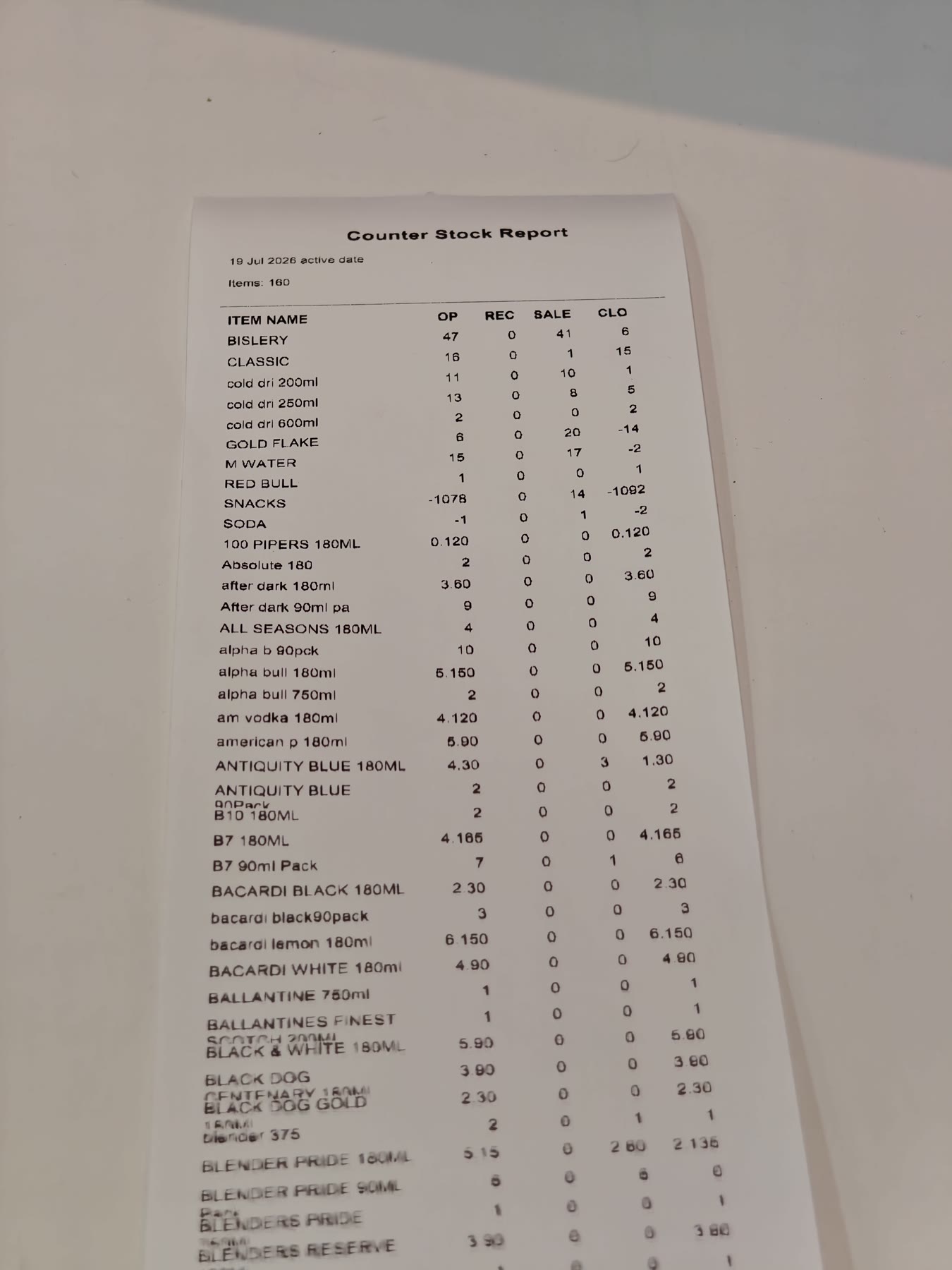
Review opening, received, sold and closing stock without paper calculations.
Real business proof
The hardware and print examples below were photographed at running businesses using Tokaro Billing.
Beyond the bill
Counter stock, godown stock, purchase entries, supplier activity and low-stock attention.
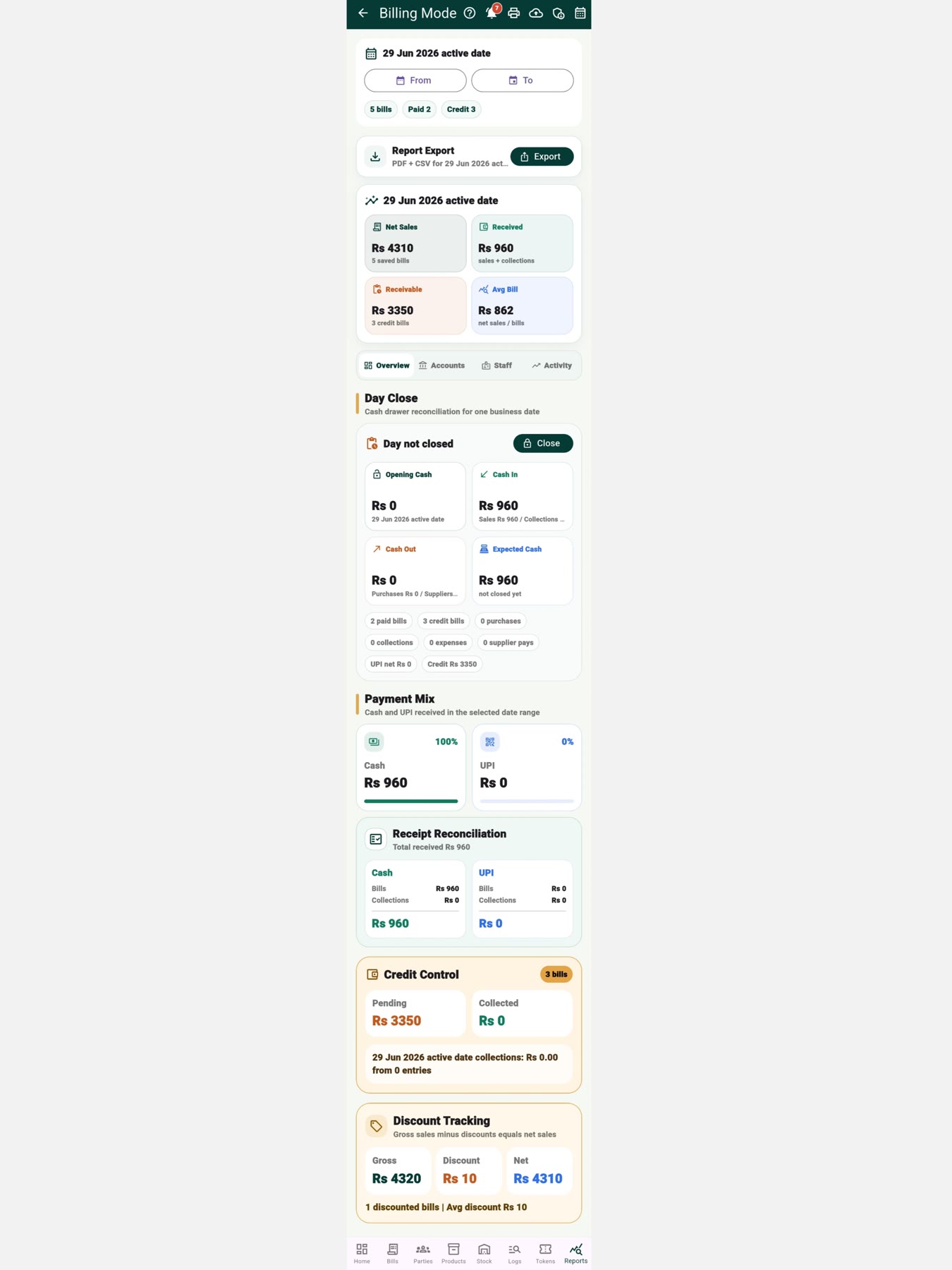
Customer balances, collections, partial payments, supplier statements and due history.
Returns, exchanges, refunds, logs, staff controls and activity history.
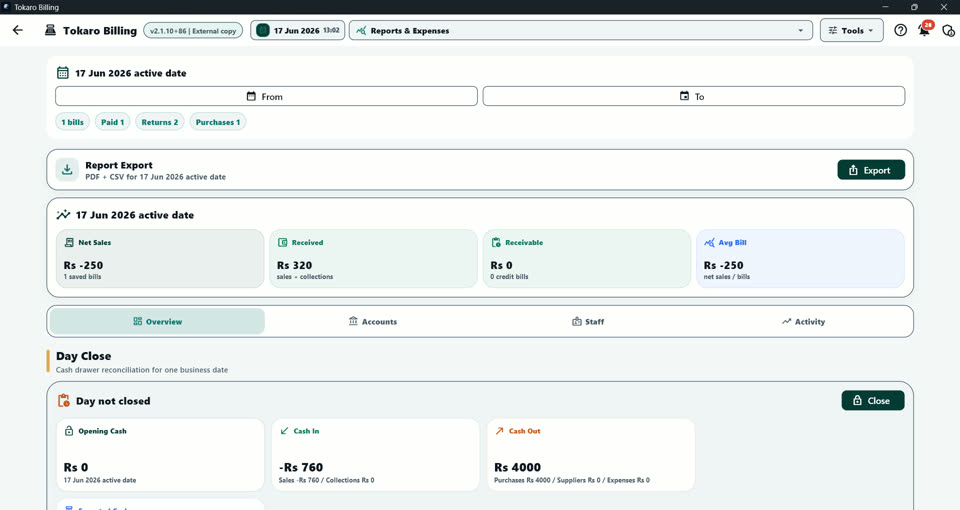
Sales, stock, expenses, profit, tax, staff shifts and printable or exportable reports.
Our vision for business owners
Tokaro grew from a real business problem: daily calculations that could consume hours when stock, cash or records did not match.
With more than 200 different items to count, paper checking and repeated recounting could take most of a day. A structured stock and billing workflow reduced that closing work to a short daily review.
Our direction is simple: keep moving calculation burden into reliable software so owners can understand their business faster, manage more than one operation and spend less time chasing avoidable mismatches.
Current plans
Choose the platform used at your counter. Install the selected app first, then buy and activate inside it: Tokaro PC opens secure Razorpay checkout, while Android uses Google Play in-app purchase.
Windows PC
Rs 399 / month
Windows PC
Rs 4,788 / year
Android
Rs 195 / month
Regular Rs 749/month
Rs 2,280 / year
Regular Rs 8,988/year
Android
Rs 60 / month
Regular Rs 299/month
Rs 600 / year
Regular Rs 2,999/year
Google Play confirms the final price, trial eligibility and renewal terms before payment. Android + PC combined subscriptions are not available for sale yet.
Hardware by platform
Hardware compatibility depends on the device model, drivers and operating-system support. Test the complete counter setup before live rollout. See minimum, recommended and future-ready PC specifications.
Setup and demo
Talk to Tokaro support about Windows setup, Android setup, barcode scanning, thermal printing or the right workflow for your business.
Questions before setup
Yes. Tokaro Billing has a native Windows PC app and an Android app. Both belong to the same Tokaro Billing product family, with platform-specific input, hardware and subscription flows.
Yes. Windows supports USB and compatible HID barcode scanners. Android supports camera barcode scanning and compatible scanner input.
Yes. Windows uses printers installed in Windows. Android supports compatible Bluetooth thermal printer workflows.
Yes. Tokaro includes stock, purchases, customer credit, collections, supplier ledgers, expenses and reports.
No. Tokaro supports retail, grocery, liquor, wholesale, service, cafe, food-counter and other counter-based business workflows. Token and KOT tools are available where required.