Download for Windows
Install Tokaro Billing on your counter PC.
Use the Windows setup for a desktop or laptop billing counter with keyboard, barcode scanner and printer support.
Also available on Android
Tokaro also works on phones and tablets.
Use the Android app where a mobile counter, tablet counter, camera barcode scanning or supported Bluetooth printer workflow fits better than a fixed PC counter.
Who this PC billing software is for
Tokaro Billing for PC is useful for retail shops, grocery shops, liquor shops, medical counters, wholesale counters, service counters, cafes and other businesses where billing speed and print reliability matter.
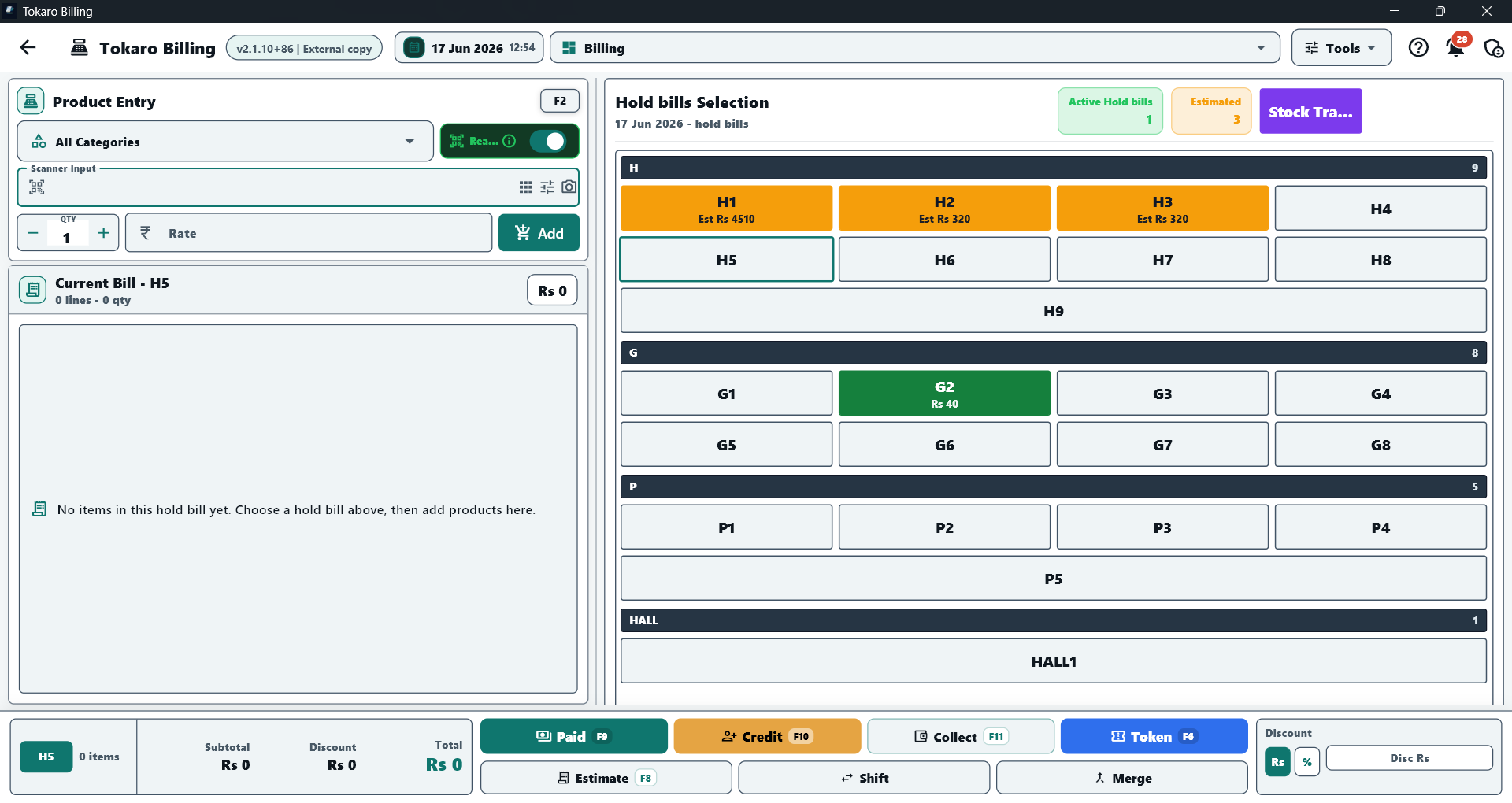
PC counter billing screen
Hold bills, product entry, paid, credit, collection, token, estimate, shift and merge actions in one counter view.
PC billing features
- Fast paid bills, credit bills, estimates, returns and exchanges.
- Products, categories, stock, purchases, suppliers and reports.
- Customer credit ledger, supplier ledger, collections and payment history.
- Barcode scanner input for saved product barcodes.
- Windows printer support for bills, estimates, reports and ledgers.
Fast PC billing workflow
- Search products and enter quantities from the keyboard.
- Use a keyboard-first billing flow with less mouse dependence.
- Keep saved bill history, slot-based billing and customer collections together.
- Handle paid, credit, estimate, return and exchange workflows from the counter.
Barcode scanner and printer support
- Use USB barcode scanners and compatible Bluetooth scanners in HID keyboard mode.
- Use Windows-installed USB, LAN, shared or compatible Bluetooth printers.
- Configure print layouts for bills, estimates, returns and supported reports.
Why use a PC app for counter billing
A Windows PC is a strong choice when the counter uses a full keyboard, larger display, USB scanner, installed printer or a fixed billing desk. Tokaro Billing for PC keeps these workflows focused on fast daily operation.